- Design for Builders
- Posts
- (AI-Native UI) How to Build What Everyone Else Will Copy in 2026
(AI-Native UI) How to Build What Everyone Else Will Copy in 2026
The Designer's Guide to AI-Native Interfaces

Shane Levine
September 24, 2025
Hey, I'm Shane.
Welcome to Design for Builders, a newsletter for founders, operators, and builders who want to improve their design skills and create better products.
UI frameworks, design patterns, and interaction modalities are changing. Fast.
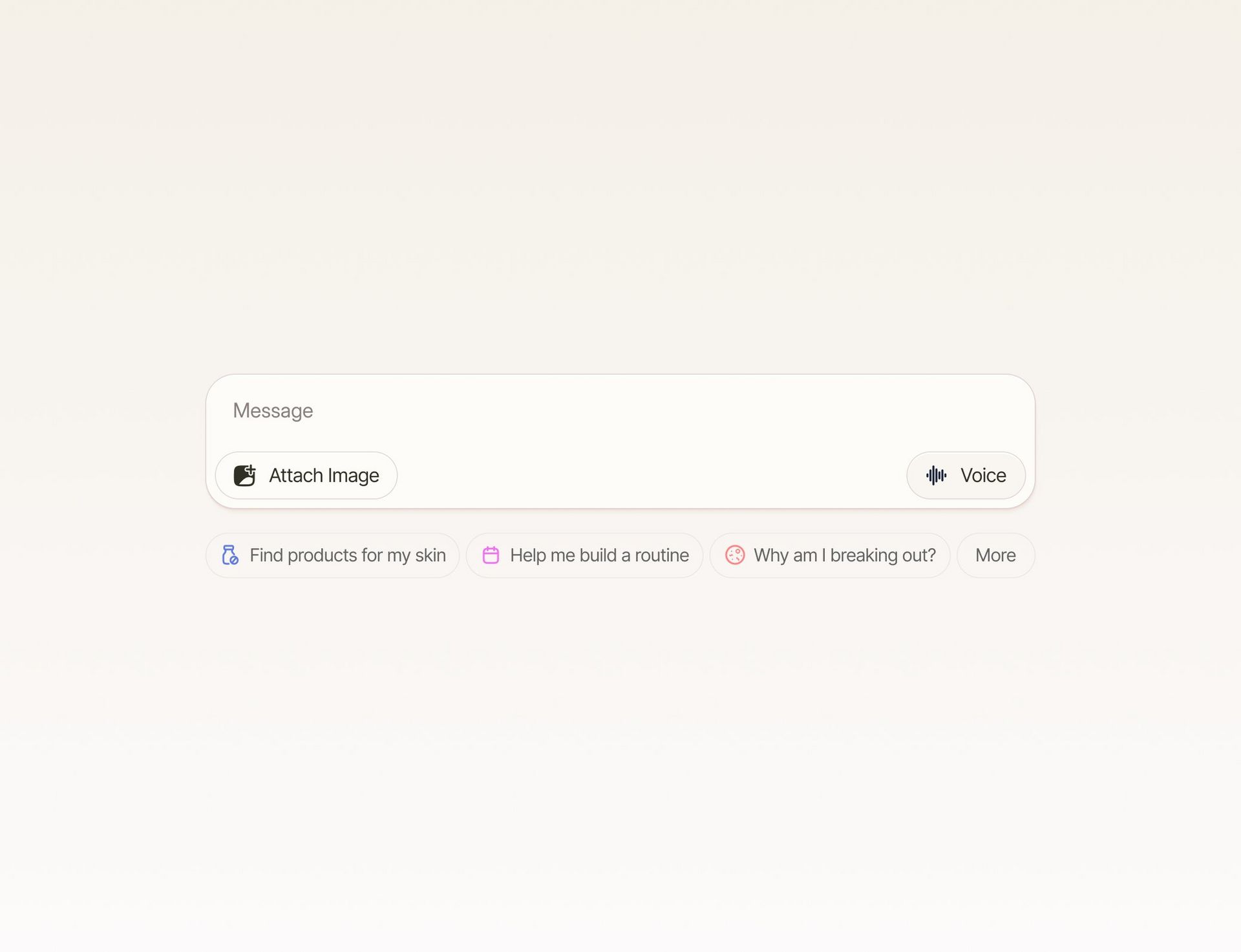
Here’s some beautiful UI to get us thinking about AI-native interfaces from @lostdoesart on X
User-driven clicks still dominate how we experience the internet, but they no longer make up most of the raw traffic moving across it. Imperva estimates that nearly half of all web traffic now comes from bots, not humans.
Cloudflare reports AI crawlers are already a meaningful source of requests across industries. On the consumer side, AI platforms drew more than 10 billion visits in a single month this year, and a Pew study found users are less likely to click through links when Google shows an AI summary up top.
Together, this signals a clear shift: more of the internet is being generated, mediated, and acted on by machines. Human-in-the-loop workflows, AI agents, and proactive interfaces are just the start.
The way SaaS and consumer software products work is evolving, and new design paradigms are emerging daily.
Here's my thesis: Traditional UI patterns aren't becoming obsolete, but they're changing, and we need hybrid approaches.
Think about how you use ChatGPT today. Now imagine software that doesn't wait for you to click through workflows it presents information, actions, and tasks based on what you need, when you need it. Just like ChatGPT can call tools to research the web or generate images, SaaS tools can call databases and APIs to bring you exactly what you're looking for.
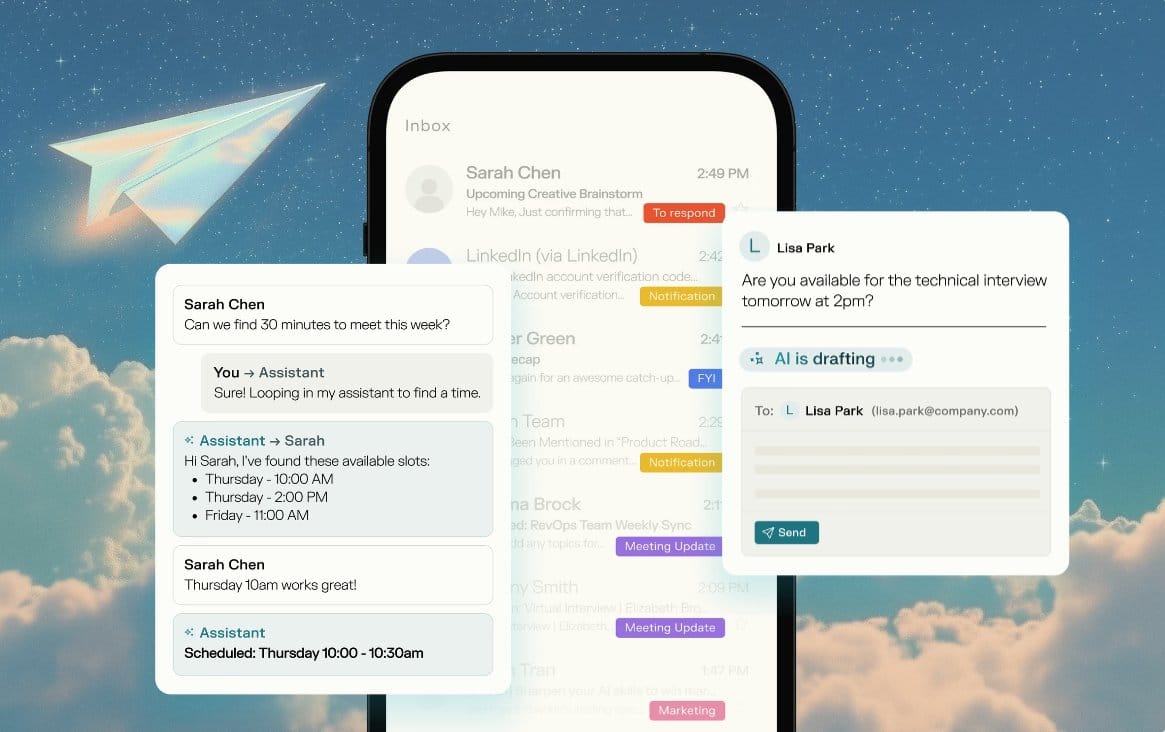
Perplexity just announced an AI scheduling assistant that looks at your calendar and schedules meetings over email with other humans. But how do you show users all the work happening behind the scenes without overwhelming them?
Today I want to dive deep into three newer design patterns that are defining this shift:
Quick takeaways before we start:
Nudges help users discover AI capabilities through progressive disclosure
Footprints build trust by showing AI work transparently
Human-in-the-loop designs for unpredictable AI-human interactions
These patterns are new there's room to make them better
Let's get into it.
1. Nudges: Discovery Through Progressive Disclosure
The problem: What happens when a tool can do a million things, but users only know about a handful?
Nudges use progressive disclosure to help users discover AI capabilities they didn't know existed. They guide people to valuable actions and make complex tools approachable.
Think through your product journey. Where is AI most likely to be helpful? Which moments are hardest to discover?
Three types of nudges:
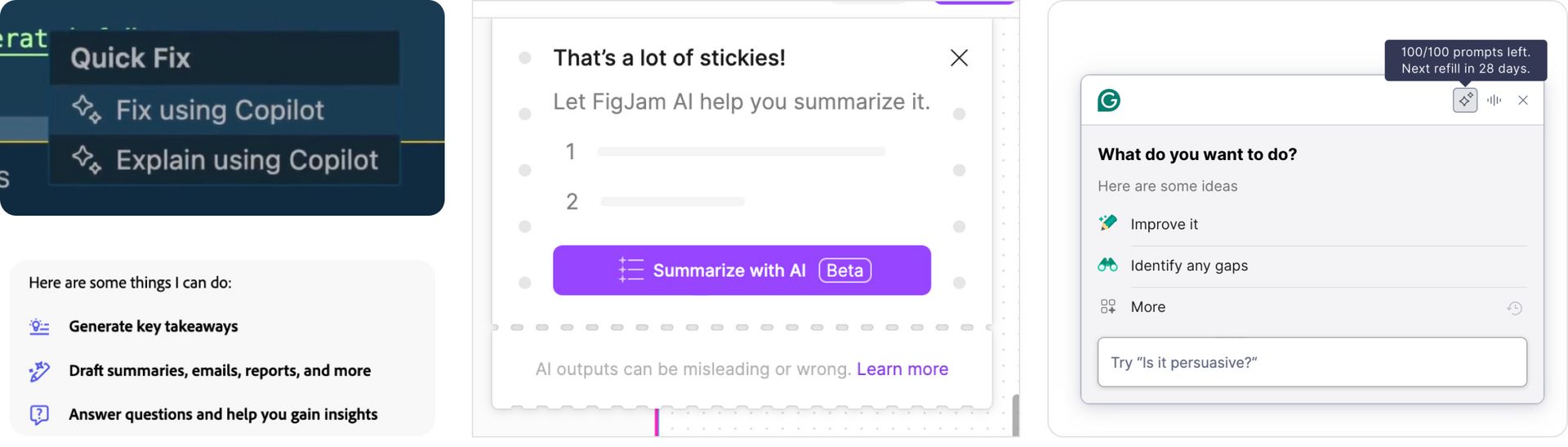
In-app clues - Open chat experiences give users full control but can create anxiety about where to begin. GitHub Copilot's "Quick Fix" suggestions and Figma's contextual AI prompts show users what's possible without overwhelming them.
In-product marketing - Companies are constantly onboarding users into new features. Grammarly's writing suggestions and MyMind's Serendipity feature (only available after saving 25 items) introduce capabilities at the right moment in the user journey.
Feature selling - The risky approach. Some companies take a "spaghetti development" approach throw everything against the wall and see what sticks. Notion's exhaustive list of AI actions can overwhelm users, especially when dropped into empty contexts.
The key insight: Nudges work best when they're contextually relevant. A summarization feature makes sense when you have content to summarize, not when you're staring at a blank page.
2. Footprints: Building Trust Through Transparency
The challenge: How do you show users the massive amount of work AI is doing without putting it all in a black box?
Footprints allow AI agents to plan a route and show users their thought process chronologically. This builds trust and helps users understand that the AI is doing credible research and sourcing.
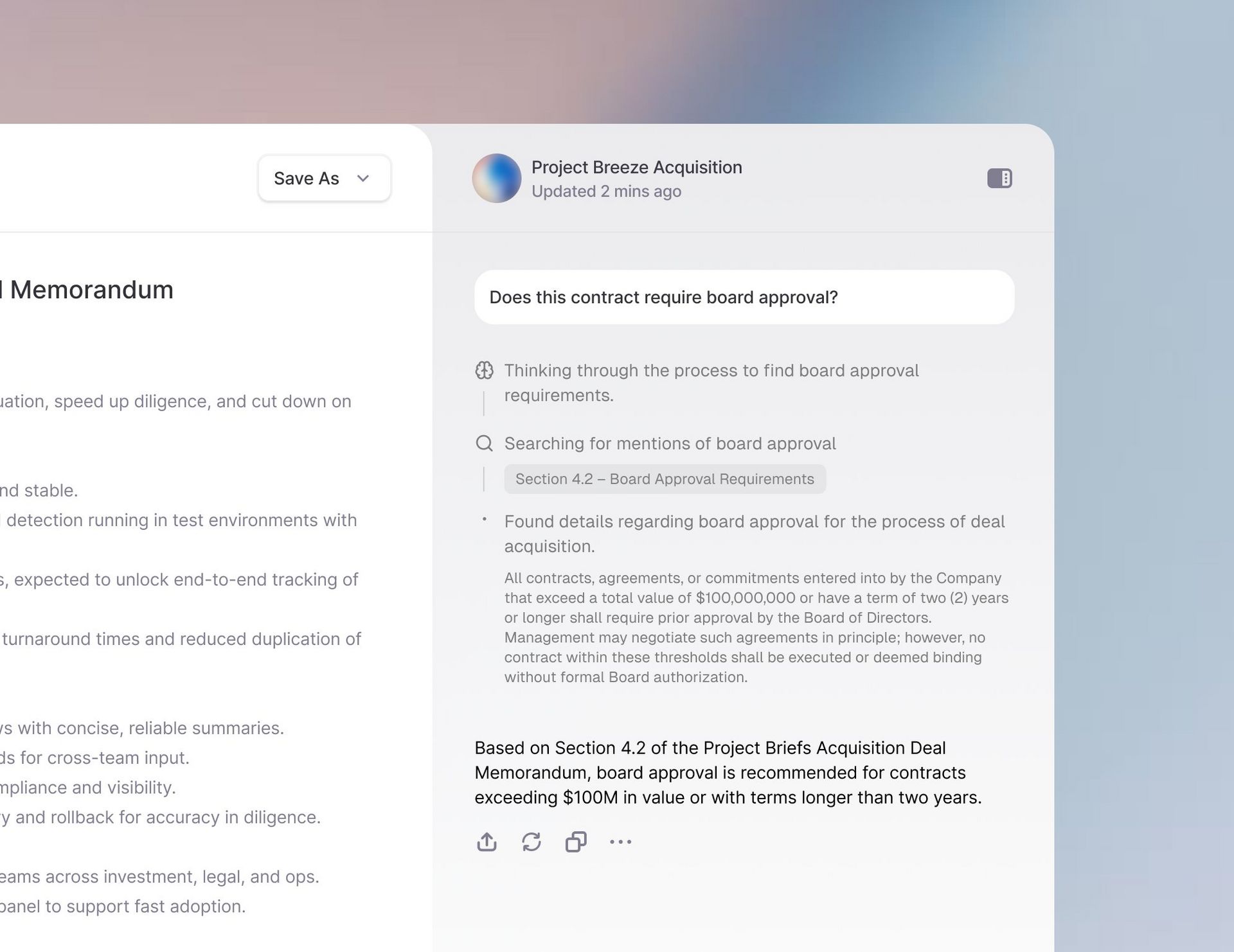
At Turbo, we designed an M&A due diligence tool where users ask complex questions about acquisition documents. Instead of just returning an answer, we show the footprints:
"Thinking through the process..." - The AI plans its approach
"Searching for mentions of..." - Shows what it's looking for
"Found details regarding..." - Surfaces specific sources
Final answer with citations - Delivers the conclusion with attribution
This pattern works because it:
Builds credibility through source attribution
Establishes trust by showing the work
Allows verification of the AI's reasoning process
Reduces the black box effect that makes users skeptical
The framework: Show high-level thinking steps, not every database query. Users want to understand the process without getting lost in technical details.
3. Human-in-the-Loop: Designing for Unpredictable Interactions
The paradigm shift: AI agents might not know what they need to ask until they're halfway through a task.
This is completely different from traditional workflows. We can't predict every question an AI might need answered, so we have to design components that agents can reference to get information from humans mid-task.
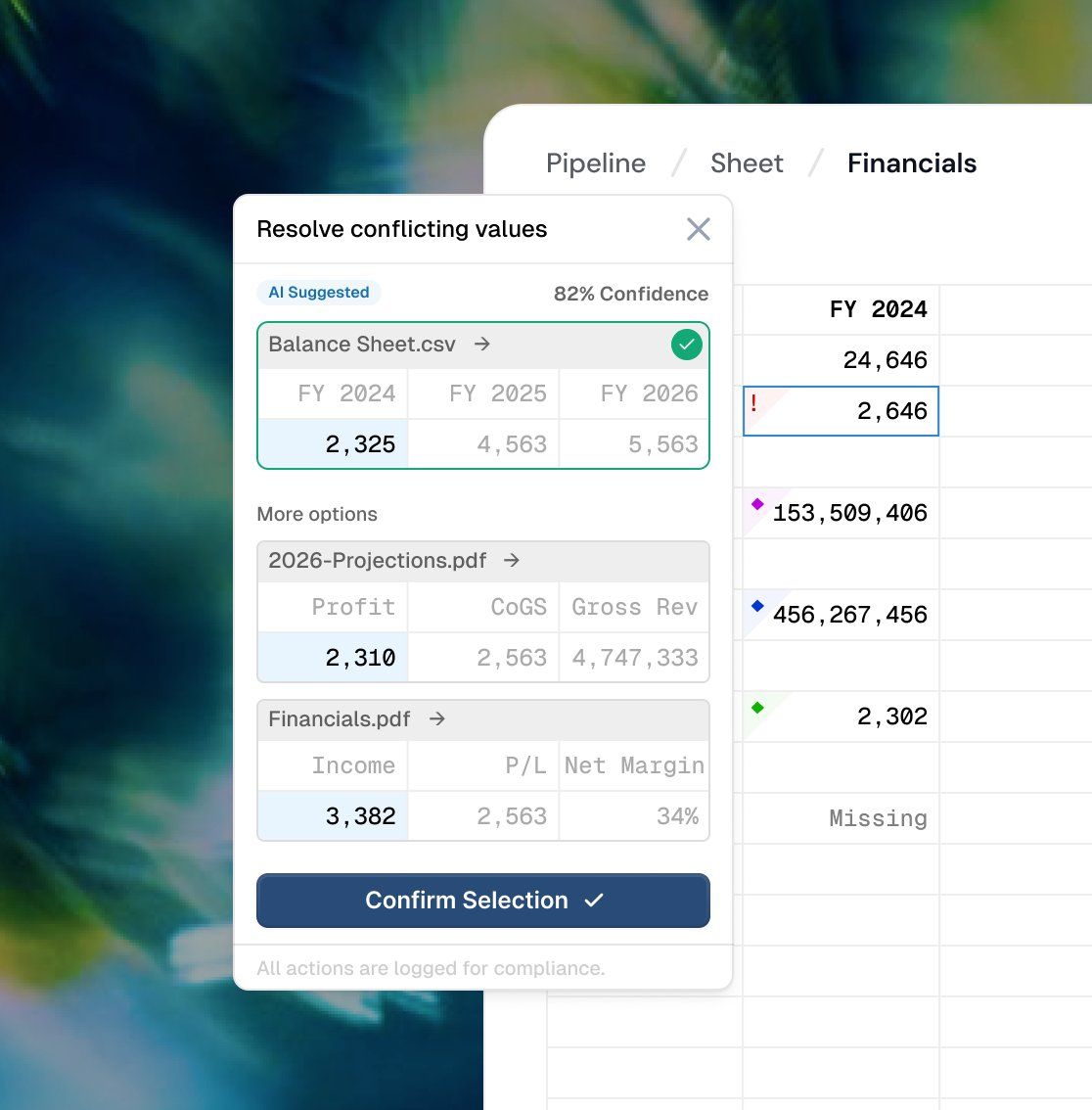
At Turbo, we built an AI spreadsheet that parses data and realizes it needs human judgment. Mid-analysis, it presents options to the user: "Based on these sources, which interpretation do you think is correct?" The human provides input, and the AI continues processing.
Design considerations:
Interrupt gracefully - How do you pause a user's workflow to ask for input without breaking their mental model?
Context switching - Users need to quickly understand what the AI was doing and what decision they need to make.
Resumption - After the human provides input, the AI needs to seamlessly continue where it left off.
Trust building - Users need confidence that their input will be used appropriately.
This pattern requires designing for unpredictability while maintaining user confidence in the system.
The Tools and Resources
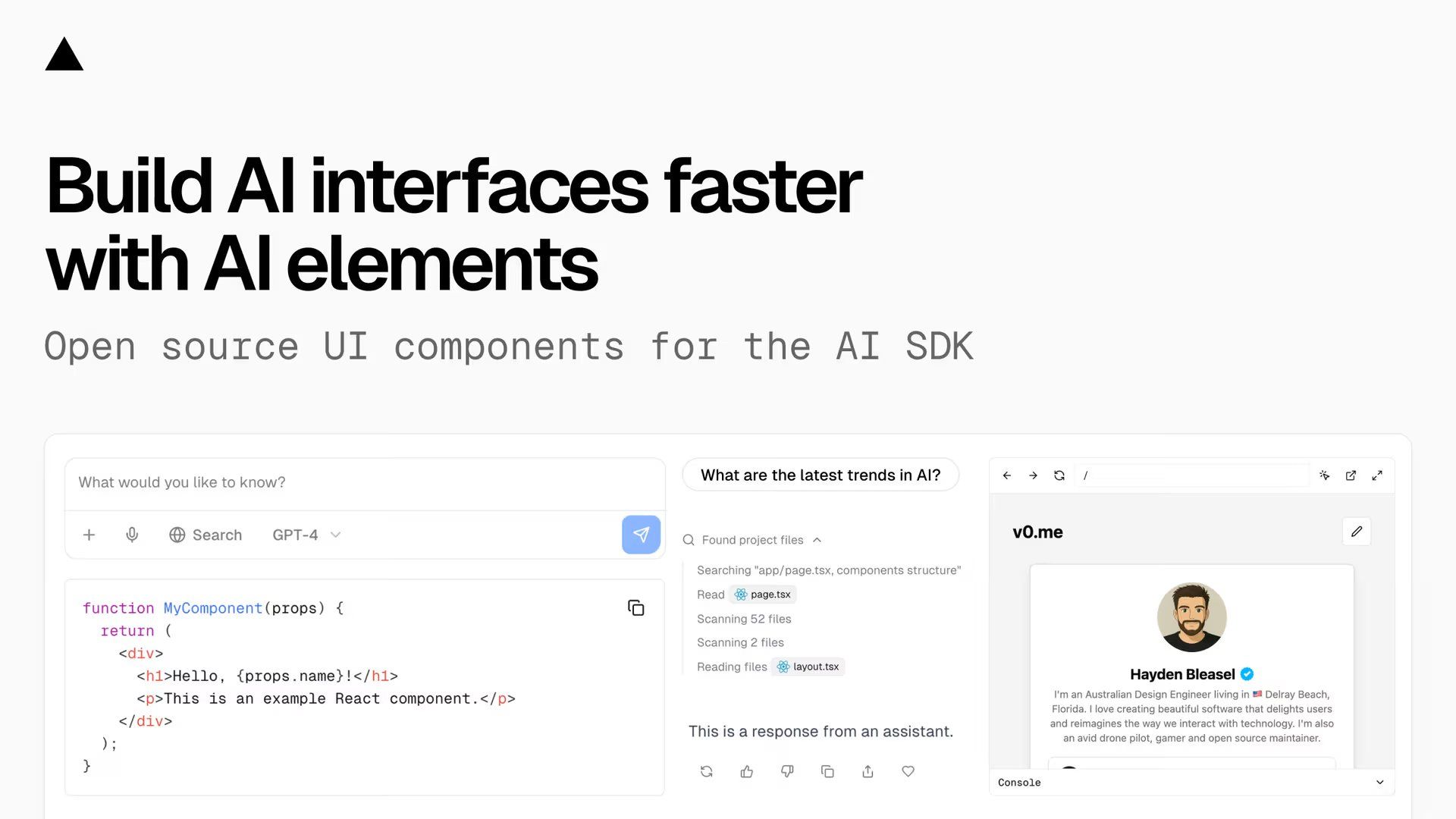
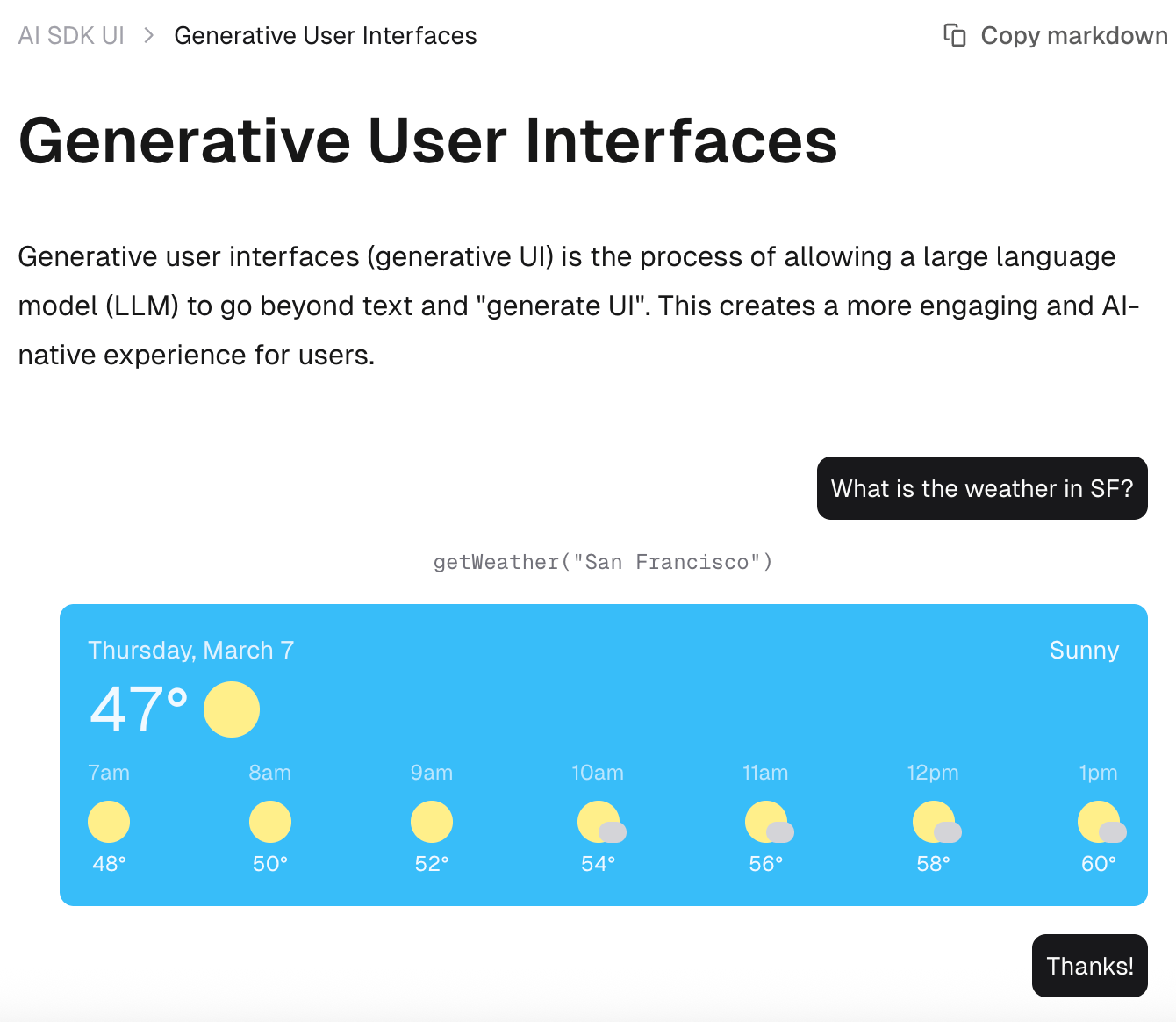
Vercel AI SDK has created incredible React components for these patterns. Their message components and streaming interfaces make it easier to implement footprints and human-in-the-loop workflows. Check it out at ai-sdk.dev.
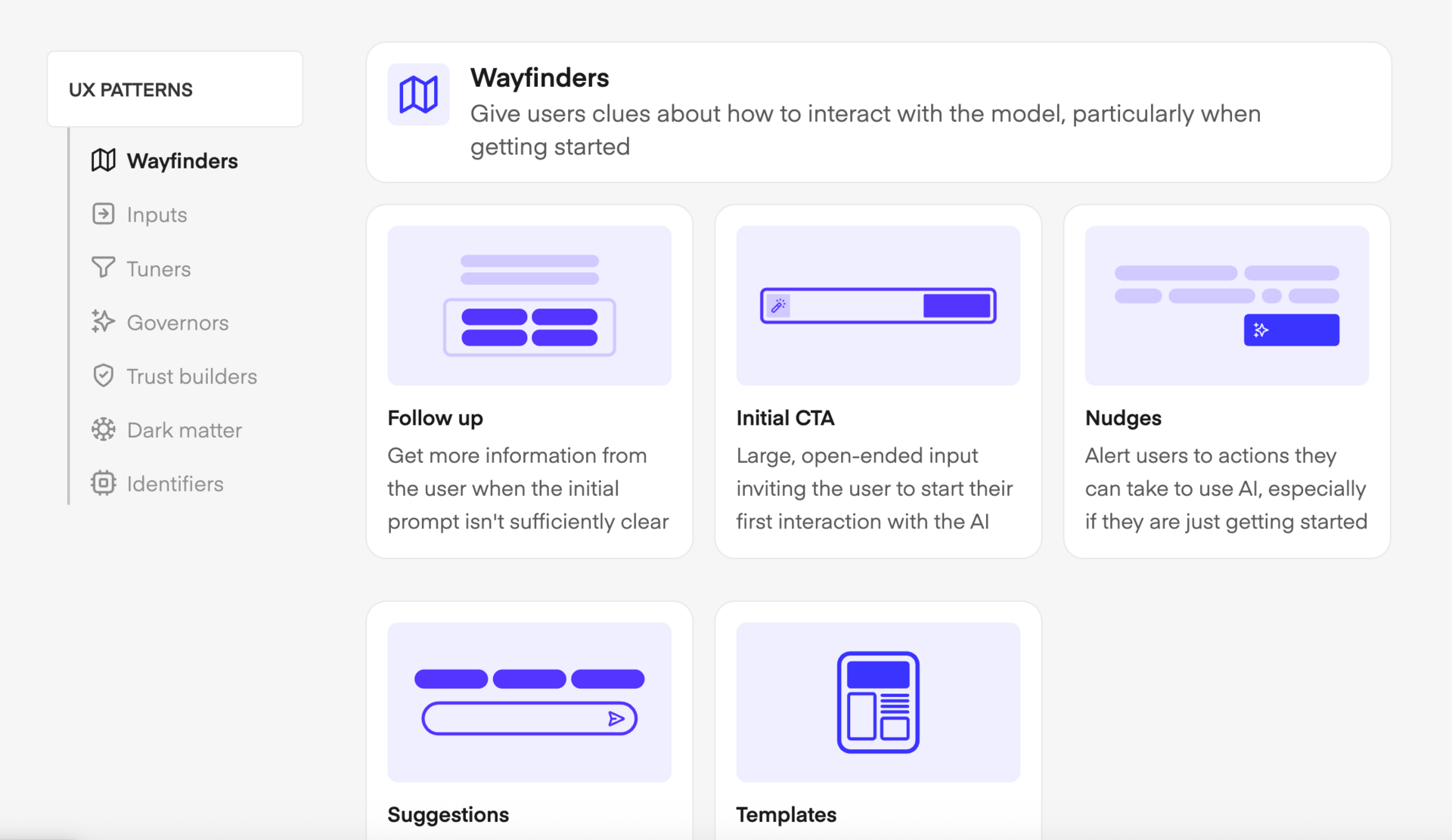
Shape of AI is exploring how user experience evolves with artificial intelligence. They've documented patterns and principles that go beyond what we've covered here. Worth bookmarking: shapeof.ai.
What This Means for Builders
Stop thinking in terms of traditional SaaS building blocks from the past decade.
Start looking for opportunities to create new paradigms. Software models are changing daily your design patterns should evolve with them.
The patterns I've shared today are emerging and imperfect. There's massive opportunity to make them better. Get familiar with these concepts, experiment with them in your products, then iterate beyond what exists today.
Ask yourself:
Where in my product could nudges help users discover powerful capabilities?
What complex processes could benefit from footprints to build user trust?
Are there workflows where human-in-the-loop could make AI more effective?
The future of software isn't just about building better features. It's about creating entirely new ways for humans and AI to collaborate.
These patterns are your starting point, not your destination.
Thanks!
Shane
P.S. If you're experimenting with AI-native design patterns, I'd love to see what you're building. Forward this to a founder friend who's thinking about AI in their product.